OpusClip is the best-known AI clipping tool, and the first name many creators try for Shorts. ViralSplice does the same core job with a narrower focus: turn a long video into vertical 9:16 Shorts with burned-in captions, a virality score, and title ideas. This comparison uses only OpusClip's own pricing page for its plans. The short version: OpusClip is the bigger editing suite, while ViralSplice is the flatter workflow, with no credit meter or clip allowance.
The prices side by side
Prices as listed on OpusClip pricing page, November 2026. ViralSplice prices confirmed on slice.coderao.com #pro-section, November 2026. All prices are in US dollars, before tax.
- ViralSplice Free: $0, 5 jobs a day, watermarked
- ViralSplice Pro: $9 per month, $90 per year, or $120 once for lifetime
- OpusClip Free: $0, watermarked captions, 9:16 only, 1080p export, media expires in 3 days
- OpusClip Starter: $15 per month, virality score, watermark-free export, media expires in 29 days
- OpusClip Pro: $29 per month, 100GB storage, 9:16, 1:1 and 16:9, dubbing and AI sound effects
- OpusClip Business: custom pricing, no price listed
The gap: $9 is $6 a month less than Starter at $15, and $20 a month less than Pro at $29. Over a year, ViralSplice Pro at $90 is $90 less than Starter at $180 and $258 less than Pro at $348. The $120 lifetime payment ends the monthly bill, while OpusClip's plans keep billing every month.
How each tool finds your clips
OpusClip's clipping starts with its AI copilot: pick a timeframe and a clip length, from under a minute to 10 to 15 minutes, and it finds the moments. You can re-prompt the clipping to fine-tune it, and on Pro you can search by topic or prompt a specific subject. The virality score is included from Starter upward; the Free plan does not include it. Auto hook is on every plan, and the Free plan's animated captions carry a watermark.
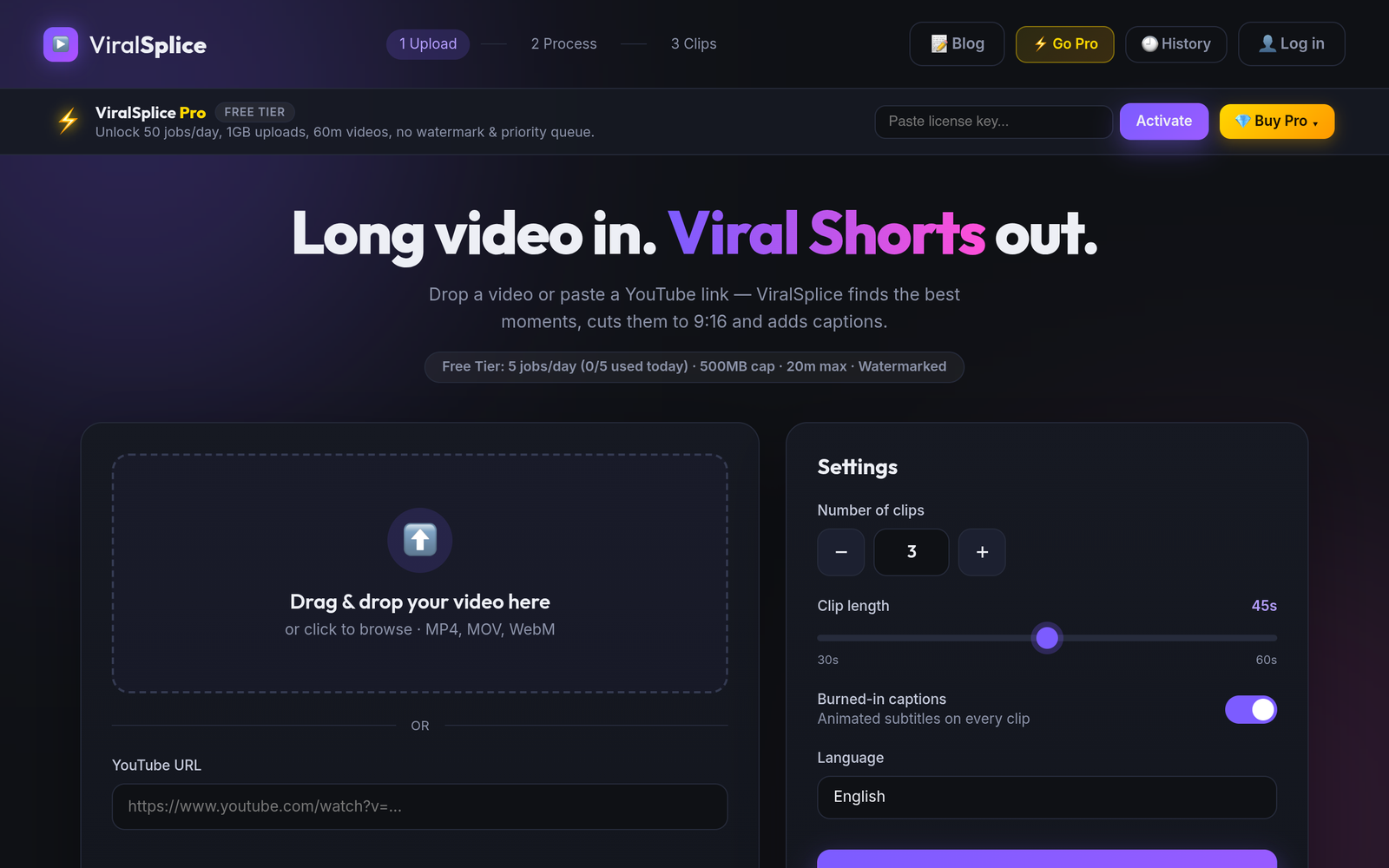
ViralSplice works the other way around: drop in a video file or paste a public YouTube link, and it finds the strongest moments, scores each one, and suggests titles. Every clip gets a virality score, even on the free plan, and the captions are burned in automatically. There is no copilot to prompt and no clip-length menu to set. If you like steering the AI with prompts, OpusClip gives you more controls; if you want the ranked list without setup, ViralSplice is the shorter path.
Captions, reframing, and export
Both tools animate captions, but OpusClip Free captions are watermarked while Starter and Pro export watermark-free. OpusClip reframes to 9:16 on every plan; Pro adds 1:1 and 16:9, plus moving-object tracking and genre-specific reframing from Starter up. ViralSplice reframes every clip to vertical 9:16 with blurred background borders, and its captions are burned in.
Export shows the limits. OpusClip Free exports up to 1080p and media expires in 3 days; Starter extends that to 29 days, and Pro gives 100GB of fixed storage with no export limit. ViralSplice Pro instead offers 1GB uploads, 60-minute videos, and 50 jobs a day, with no clip allowance or credits. OpusClip adds extras as you climb: image and stock B-roll on Starter, and on Pro, AI video B-roll, dubbing, sound effects, a team workspace, and a video editing API. ViralSplice has no editing suite and no API; it cuts, captions, and scores, and stops there.
How to choose between them
If you want one tool that clips, edits, dubs, and adds B-roll, OpusClip Pro at $29 a month is a fuller suite, and its free plan is a fair test. If your main job is repurposing long videos into Shorts every day, what matters most is clip selection, captions, upload limits, and the monthly bill, and that is where ViralSplice Pro at $9 a month, $90 a year, or $120 once is hard to beat. Start free to test both: OpusClip Free shows the workflow with watermarked captions, and ViralSplice Free gives 5 jobs a day. Check both pricing pages before you buy, because prices can change.
Try ViralSplice free first, then upgrade when you are ready, at slice.coderao.com.